
Programs / Asset & Inventory Tracker
Asset & Inventory Tracker
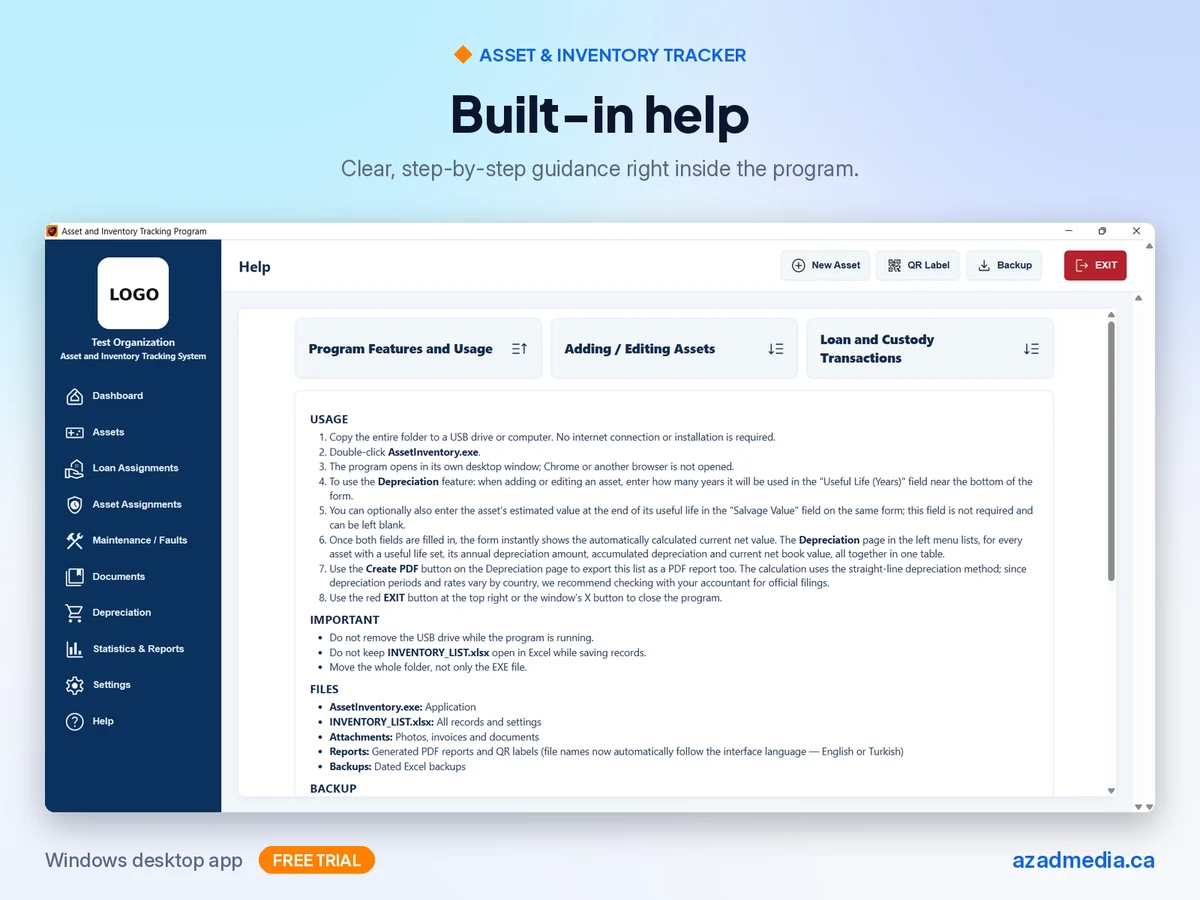
Know what you own, where it is and who has it. One register for all of it.
Free from the Microsoft Store, with no security warnings. Can't use the Store? Download the installer.
- Trial with up to 10 assets
- Windows 10 & 11
- No credit card
Ontario customers: 2 hours of setup and training included with your license, in person or online as needed, then help at an hourly rate.
Outside Ontario: Online training and support. Free updates for everyone.
- Companies
- Warehouses
- Repair shops
- Offices
- Schools
- Associations
Who it’s for
Made for anyone who needs to know what they own. One program, from the office to the warehouse.
Small businesses and offices
Laptops, phones, furniture and keys in one list: who has what, where it is and what it cost.
Warehouses
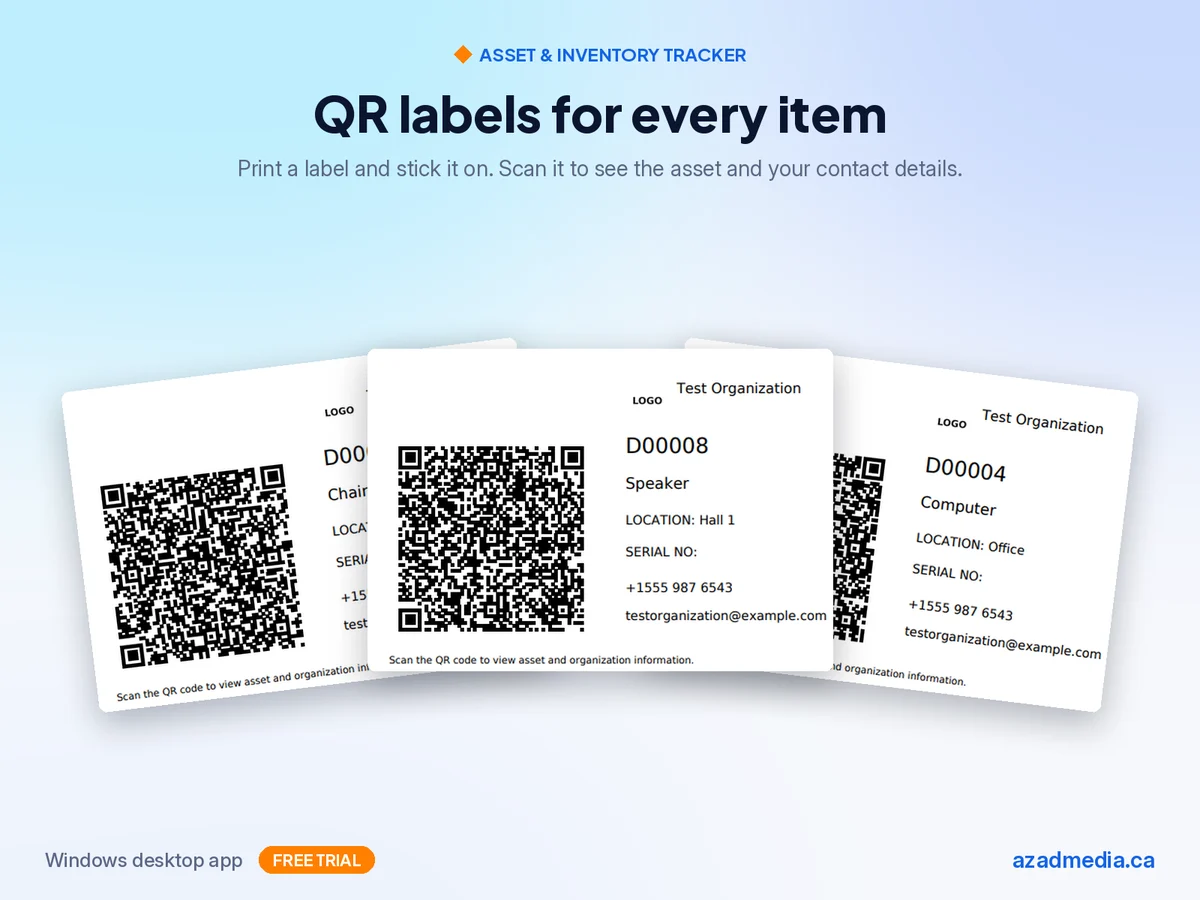
Track assets by category, location and status, and print QR labels so anyone can identify an item quickly.
Repair and service shops
Log maintenance and faults for every tool and machine, with a history you can print.
Schools and training centres
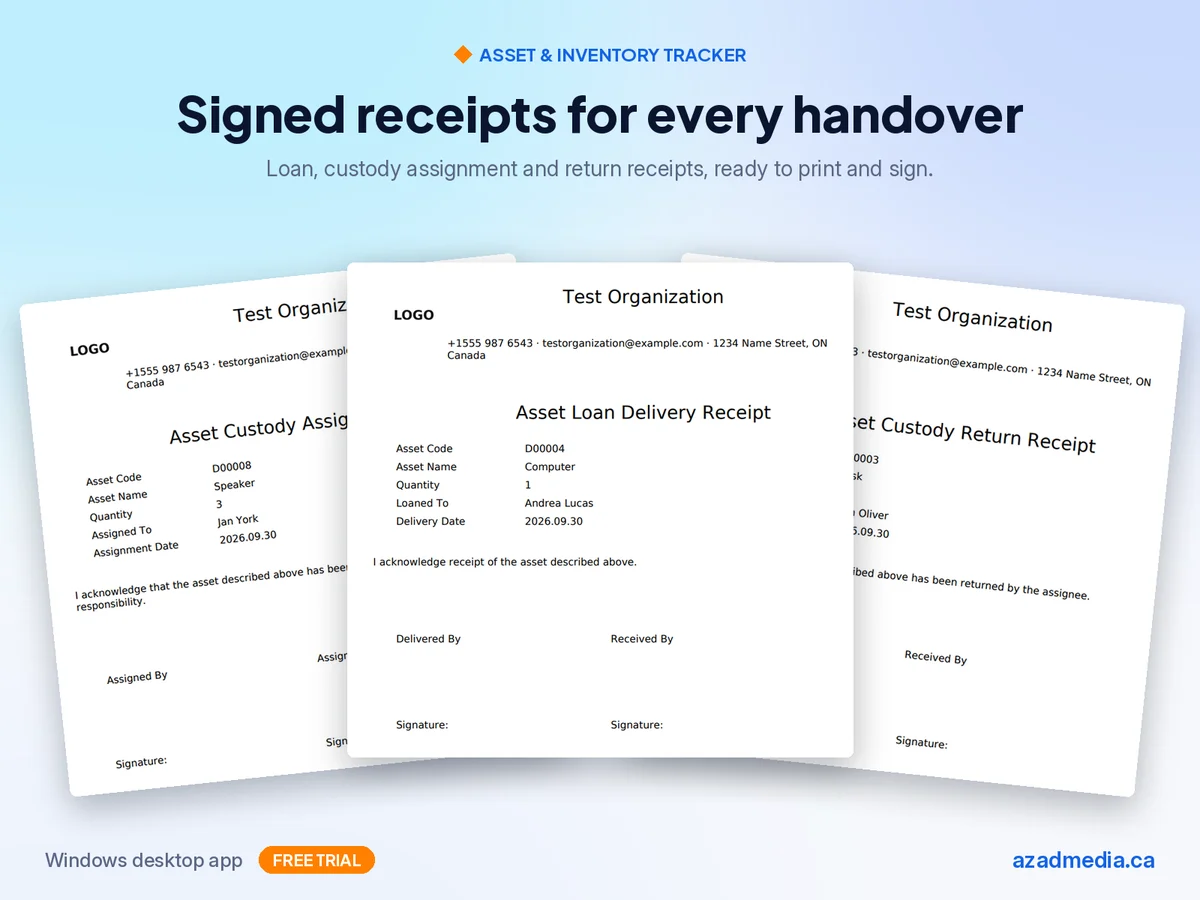
Lend laptops, projectors and equipment to staff or students, and print a loan receipt when they take it and when they bring it back.
Associations and community centres
Chairs, tables, sound systems and banners: know what the association owns and who borrowed it.
Field teams and vehicles
Assign handheld devices or company cars to an employee with a handover form, and print a return form when they give them back.
Clinics and labs
Get a warning before warranties expire, and keep invoices and photos attached to each device.
Accounting and year-end
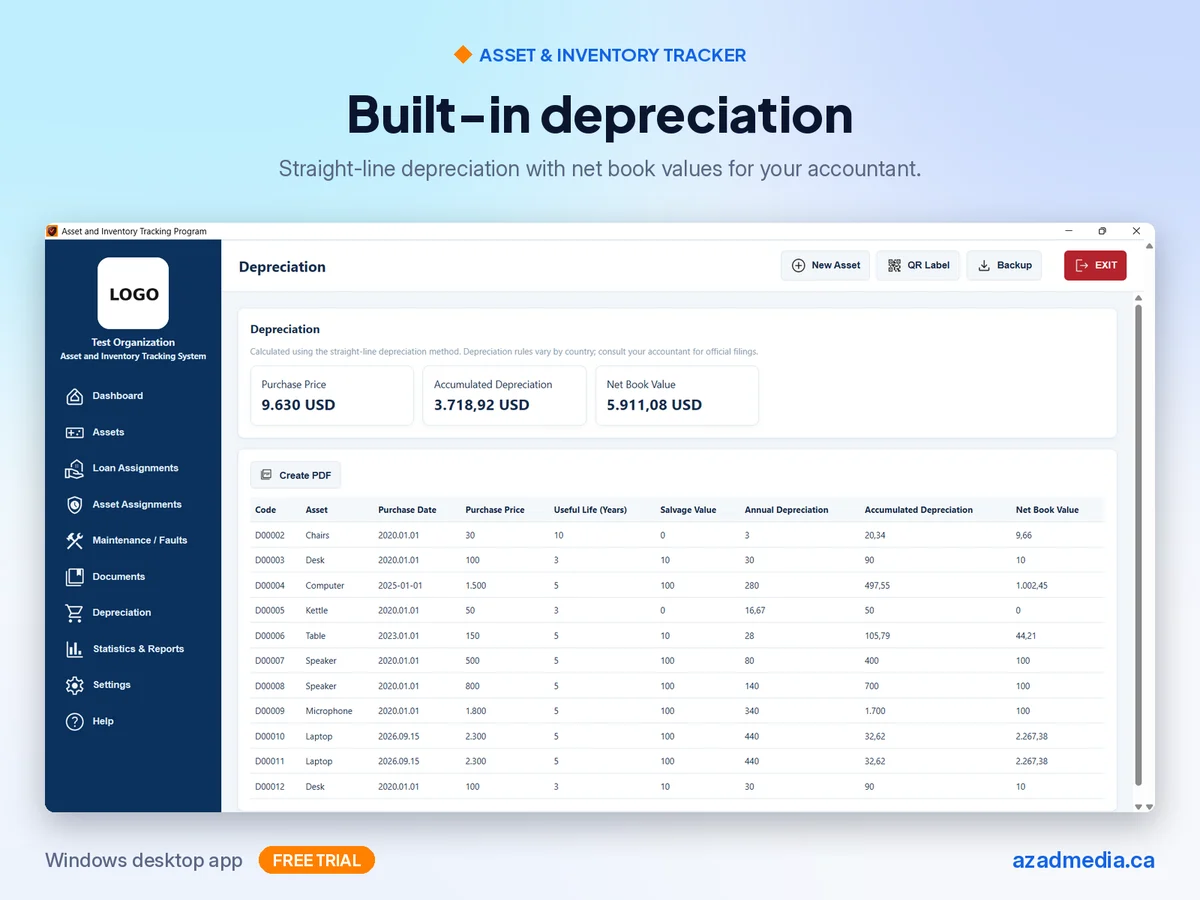
See straight-line depreciation and net book value, and print reports by category or location for year-end.
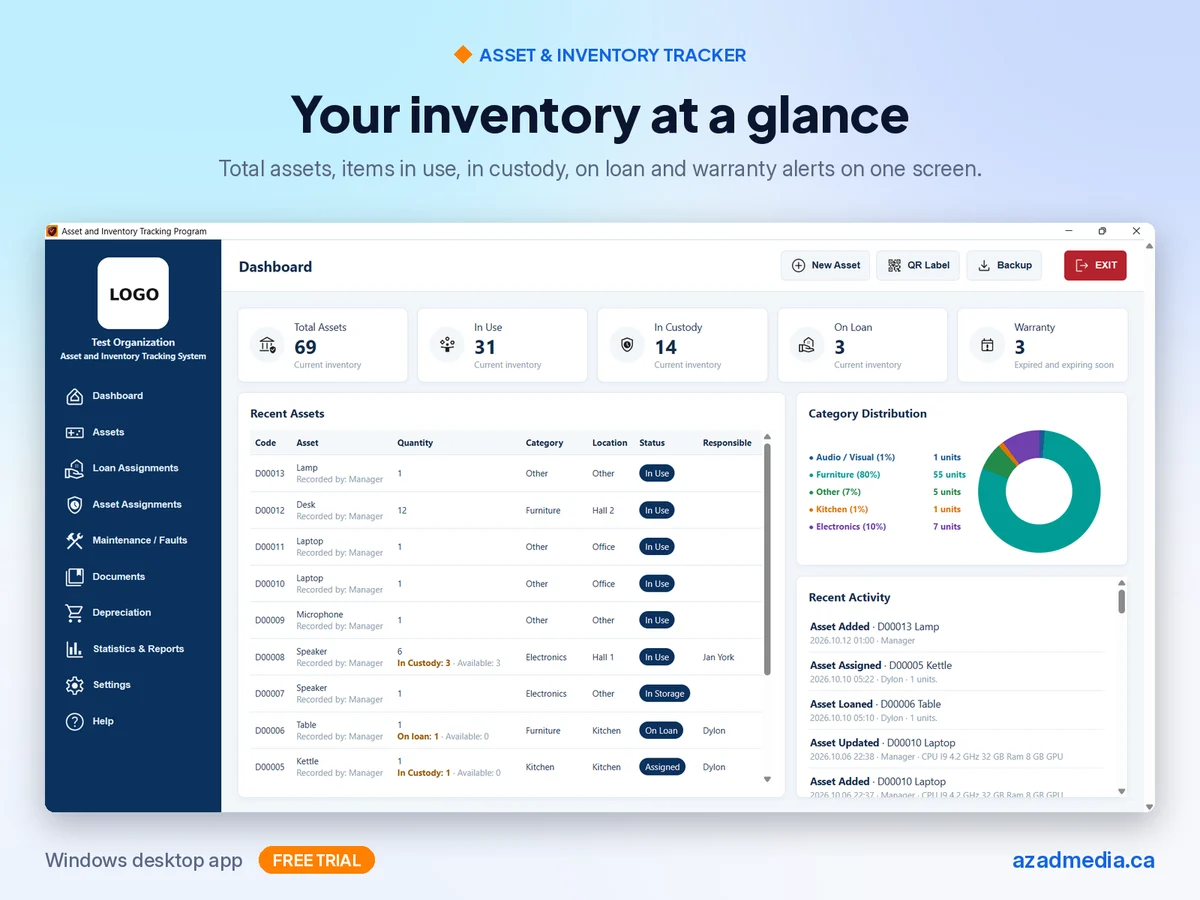
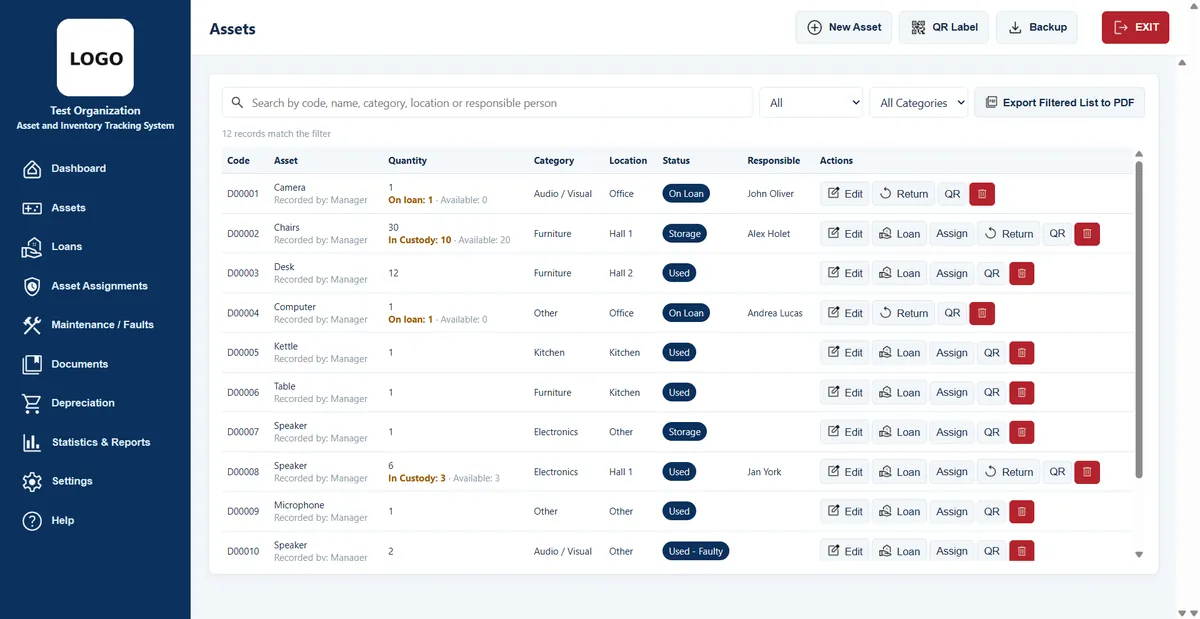
Asset register
Every asset, with its paperwork.
- Categories, locations and photos for every item, with an automatic asset code.
- Invoices and warranty documents attached to the asset they belong to.
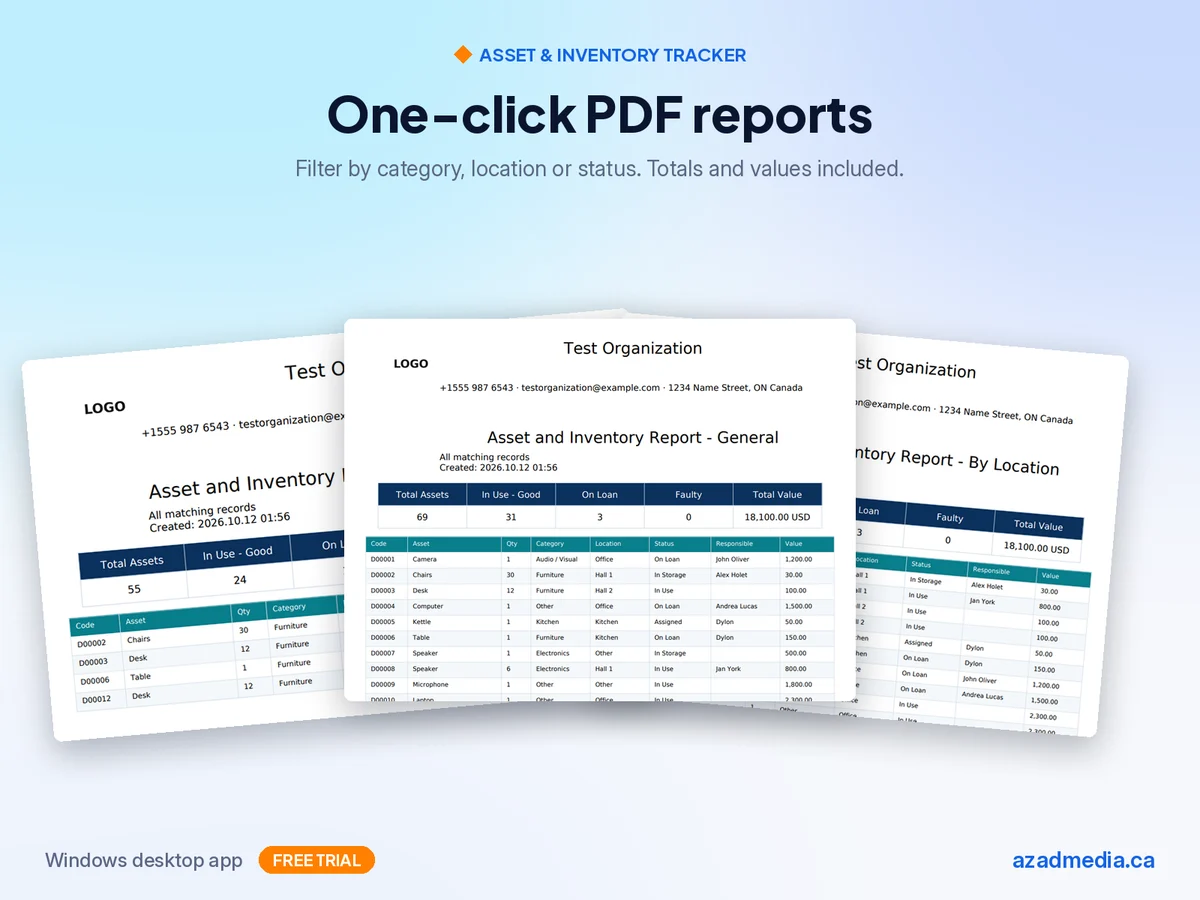
- Search and filter by code, name, category, location or responsible person, then export the list to PDF.
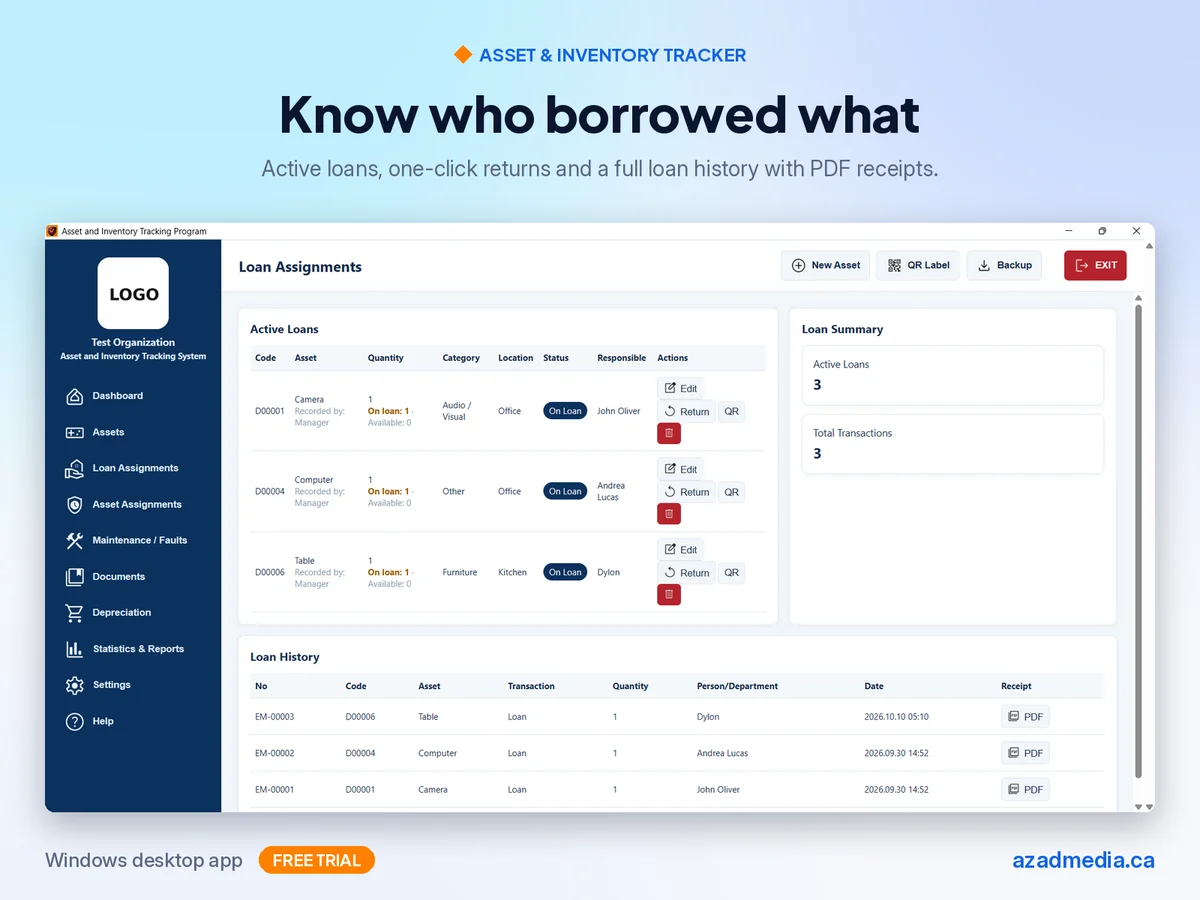
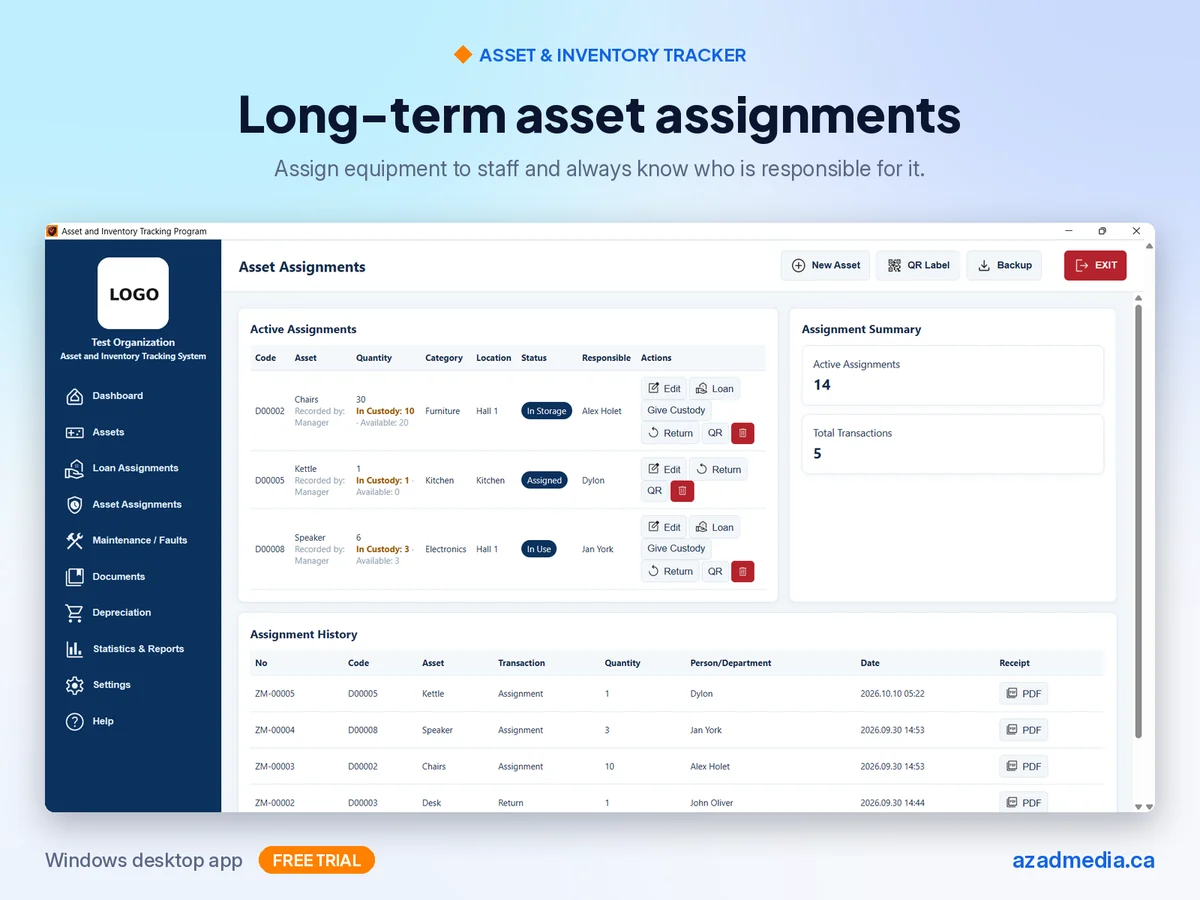
Loans and assignments
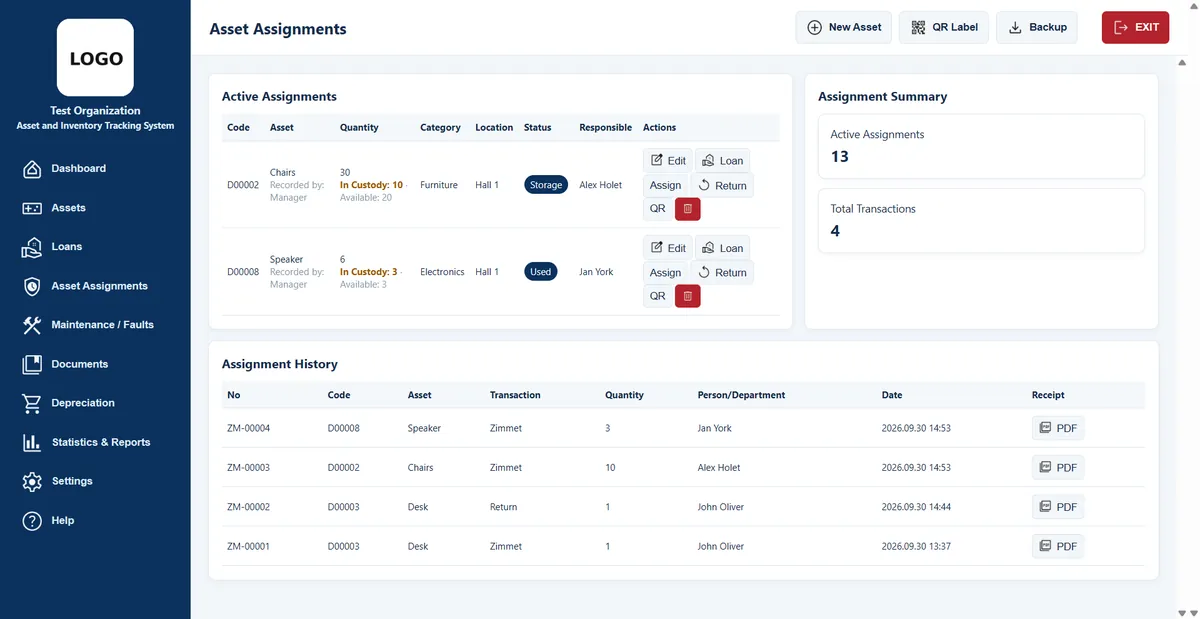
Who has what, signed and filed.
- Lend items and print a delivery receipt with signature lines.
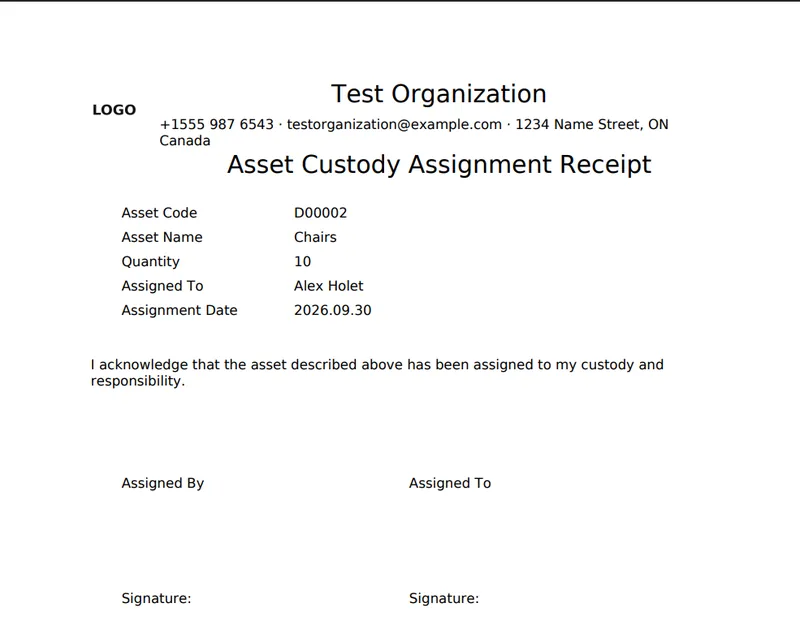
- Assign equipment to staff with a custody receipt, and see every active assignment at a glance.
- Full history of loans, returns and assignments for each asset.
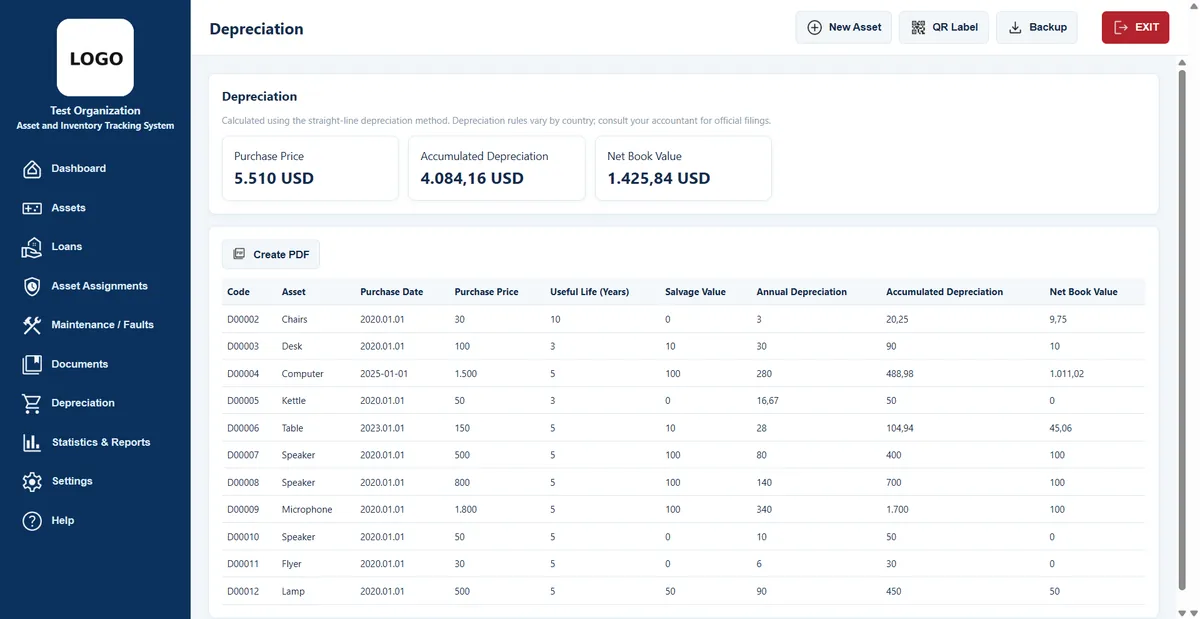
Depreciation
Depreciation your accountant can read.
- Straight-line method from purchase price, useful life and salvage value.
- Net book value calculated live for every asset.
- PDF report with totals for purchase value, accumulated depreciation and book value.
Depreciation rules vary by country. Check official filings with your accountant.
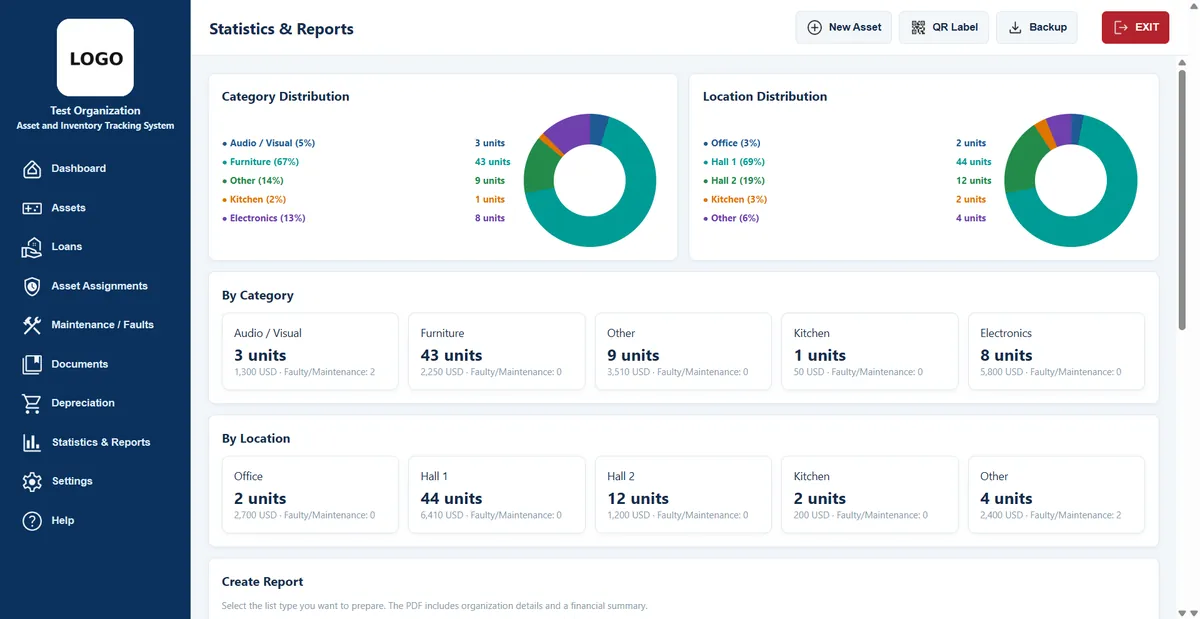
Reports and labels
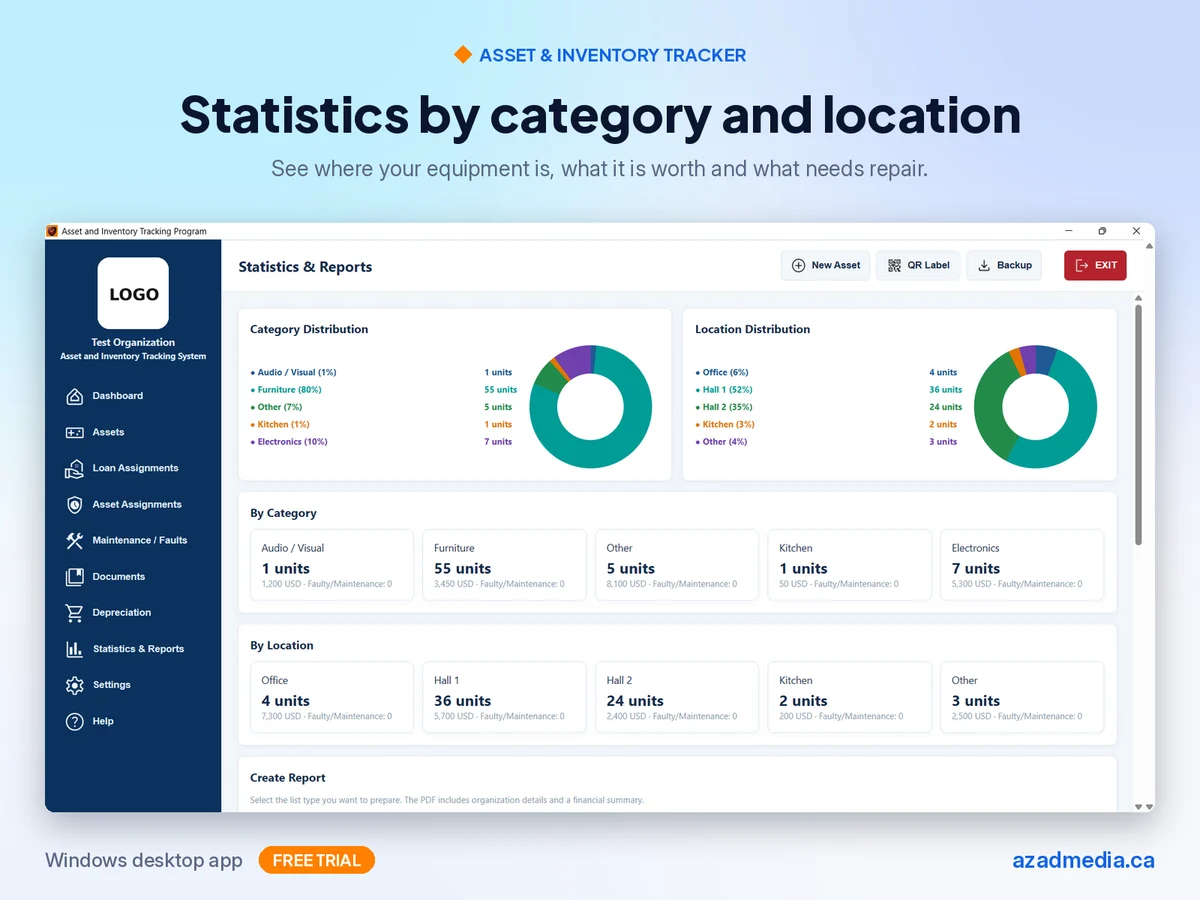
Reports and QR labels in one click.
- Charts by category and location with unit counts and values.
- PDF reports for all assets, by status, location, category, loans or warranty.
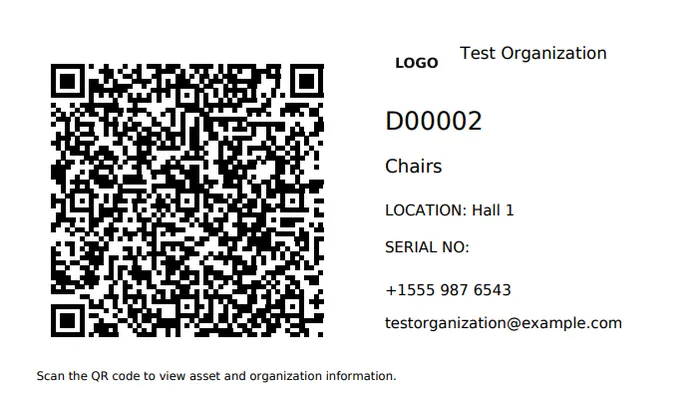
- QR labels with your logo, asset code, location and contact details.
Also included
The details that save time later.
Maintenance and faults
Record repairs and faults for each item, with dates and notes.
Warranty tracking
See which warranties are about to expire.
Automatic backups
Dated backups of your records, and one-click cleanup of old files.
Six languages
English, Kurdish, Turkish, German, French and Spanish.
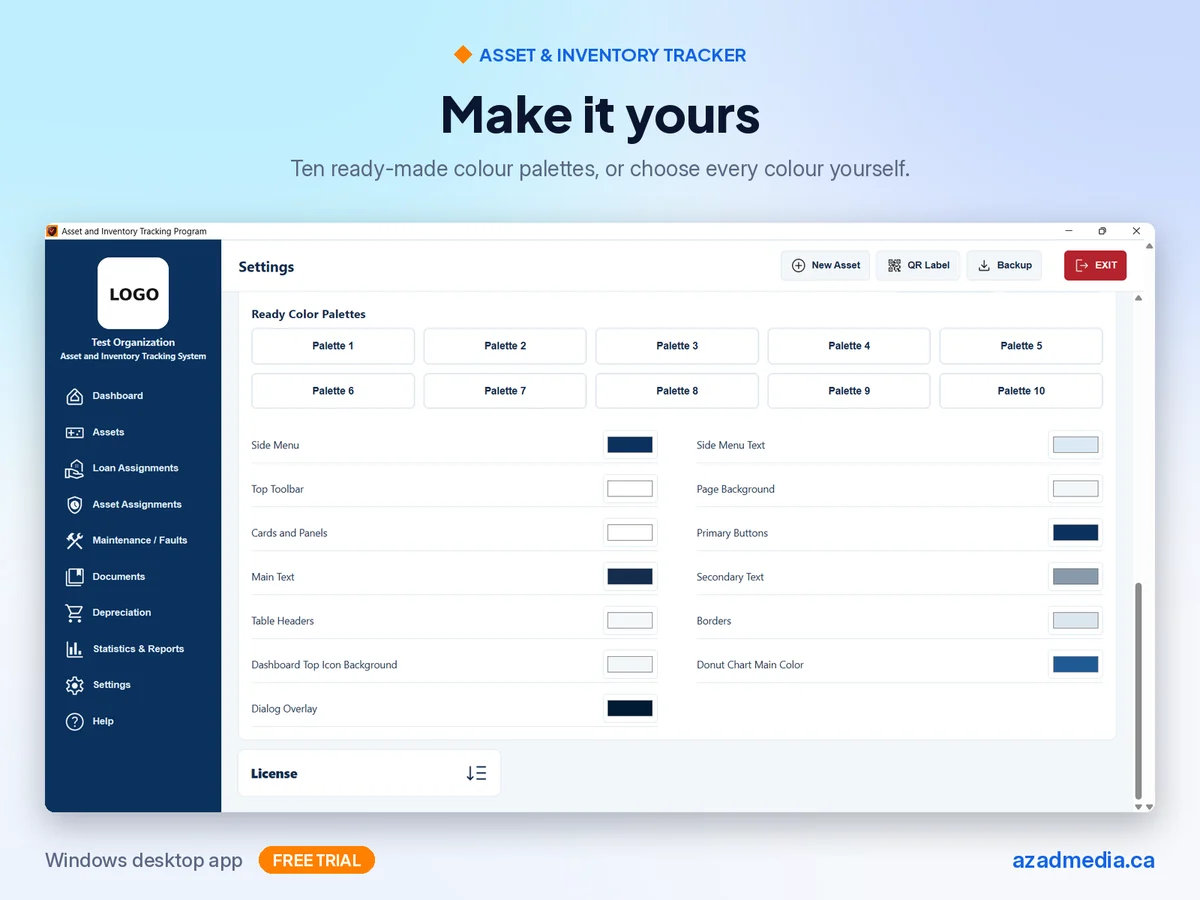
Your logo, colors and details
Enter your organization's logo, name and contact details once. They appear in the program window, and every report, receipt and label you print carries them in its header, together with the document title.
Your data, handled for you
All records are written to an Excel file on your own computer. The program takes care of the setup for you, so there is nothing else to install.
License and updates
Activate once, then check for new versions from the License screen.
Asset & Inventory Tracker
CA$100 CA$75
CA$25 off with code ASSET25 · until Dec 31, 2026
one-time · 1 computer
- Unlimited assets, loans and assignments
- Built-in “Check for updates” button
- Six languages
- Ontario: 2 hours of in-person setup & training included
- Free updates
- Outside Ontario: online training & support
Free from the Microsoft Store, with no security warnings. Can't use the Store? Download the installer.
Video tour
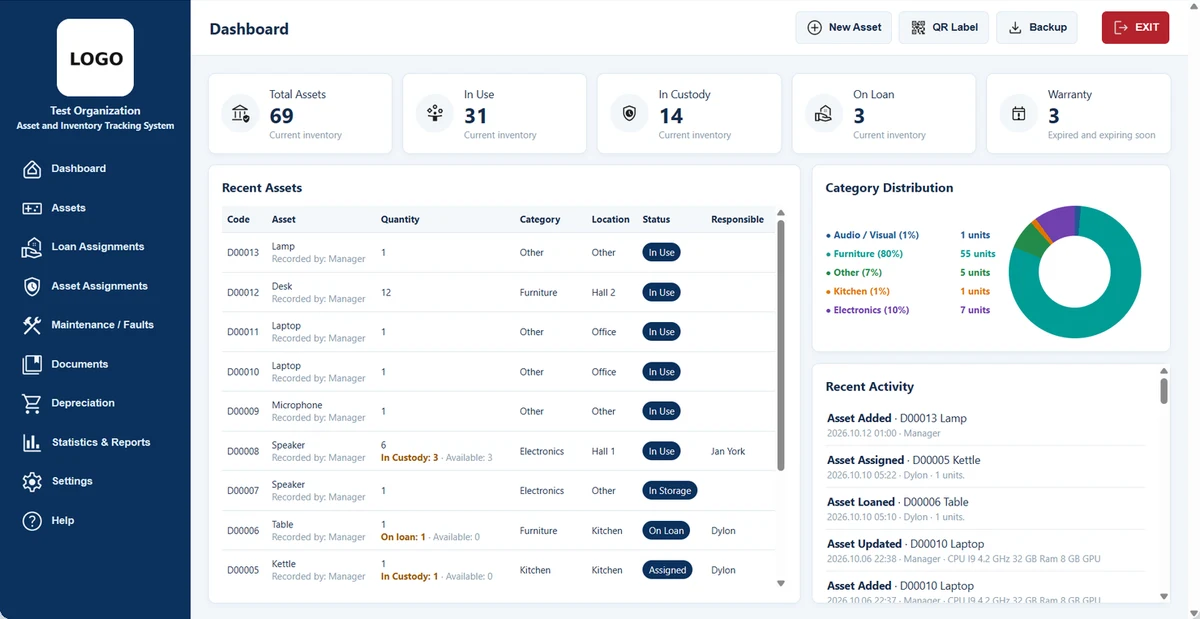
See it in action. A short walk through the program.
Questions
Before you buy.
What happens to my trial records?
They stay. Enter your license key and the 10-record limit is removed instantly.
Where are my records stored?
In an Excel file on your own computer. Nothing is uploaded to a cloud server.
How do updates work?
Use “Check for updates” on the License screen. It compares your version with the latest one on our website.
How do I back up my records?
Create a backup from the program and load it again whenever you need to. Because your records are kept in an Excel file, you can also open them in Excel.
Can I add my organization’s details?
Yes. In Organization settings you enter your name, logo, address, phone and e-mail. They appear in the program and in the header of every printed document.
Can I change the colors?
Yes. Color settings let you choose the program’s colors to match your organization.
Do I need to install anything else?
No. The installer sets everything up for you, and there is no database or extra software to install.
Guides: Free membership software for small clubs · Dues tracking software · Asset tracking for non-profits & schools · WildApricot alternative · Association software for Canada